Search This Blog

Thursday, 3 March 2022

Defender 300TDi heated seats

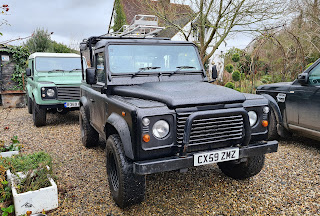
This is the second time I've added heated seats to Fender. This time I've done what I think is a tidier job.

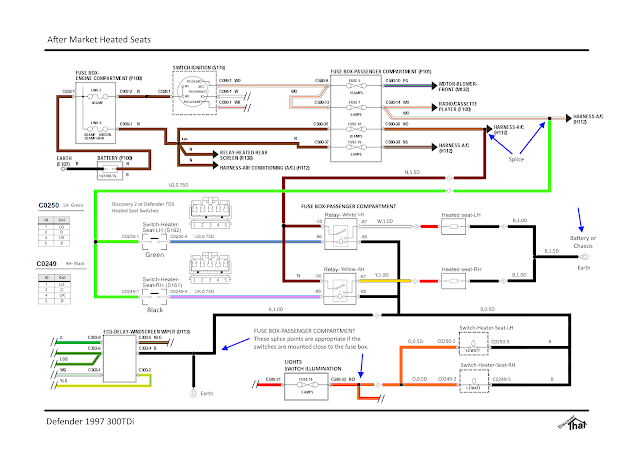
Fender is a 1998, 300TDi, so there was no factory fit heated seats option. As usual, I've had to work out my own wiring. There is a convenient feed for air conditioning, which I've used for the heated seats.


It's not very many week ago that I fitted the heated seat wiring to our TDCi Defender, Thunder Truck. 


As then, I've fitted relays. Land Rover wire their heated seats directly via the switches. I am unsure of the rating of the switches and the after-market heated seat pads do not state what current each circuit requires. All I know for sure is that they are fitted with a 20A fuse, so it is safe to assume each seat uses no more than 10A. I've used that to size all the wire gauges.


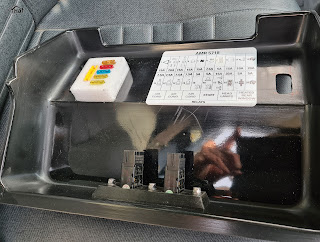
I'm using an extended fuse box cover. I bought it so I had enough space for the extra relays without struggling but it was also the ideal place to mount the heated seat switches.


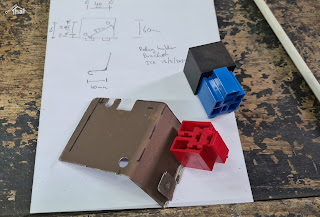
I made a bracket to mount the relays under the existing fuses.


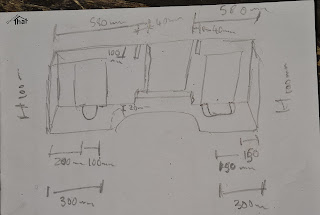
Measuring where to cut the rubber mat

Before fitting the new Exmoor Trim seats I fitted the under seat rubber mat. Another Exmoor Trim product.


I've used some 1/2" (12.7mm) spacers to stop the seat rails catching on the thick rubber mats. The mats are so thick, I've found, that it needs at least 12mm spacers for the seat to move freely.


I needed longer seat bolts, so I bought some stainless steel M8x40mm torx pan head bolts which do the job nicely. I've done the same in both Defenders.


With the mats and the seats in, I threaded the cables before fitting the carpet and cubby box.


I've used Discovery 2 (D2) heated seat switches because, at the time I was looking, I could not get Defender TD5 or TDCi switches. The D2 switches are the same as the Defender switches, they just have different style caps. I've wired them so that the tell-tale lamps and the backlights work.


Tested and working well. Nice and warm.

==


Wednesday, 2 March 2022

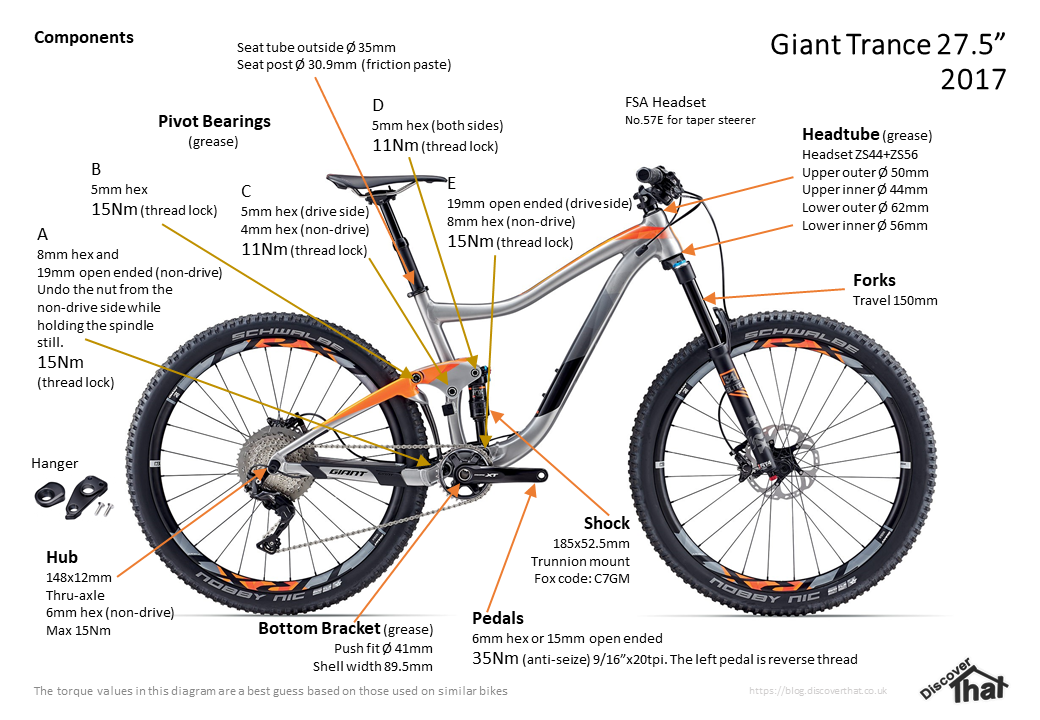
Giant Trance 2017 components

I've started another bike build. Yet again, I've gone for a Giant Trance frame but a newer generation. This one is a 2017 frame which has the latest geometry. I've just got to the stage of taking the frame apart and have created a document to record all the parts.


==

Download the diagrams as a PDF.

==


Friday, 25 February 2022

Discovery 4 door mirror replacement

 I finally got round to swapping out the damaged door mirror assembly that I damaged at Christmas.


I was hoping to be able to get away with just replacing the plastic upper cover, but when I looked, the metal internal housing was cracked. 


The whole unit had to be replaced.


I tried to do it just by removing the small plastic speaker cover section, but the connector for the cable is behind the door trim panel, so off came the door panel.


It's not too difficult to remove the panel. There's a screw at the open end of the door, towards the top.


There's one behind the door opener. By pushing the bottom edge of the little cover, the top edge pops out enough to get hold of and it comes out.


There are two screws each side of the grab handle. The silver plastic covers are a little tricky to get the trim tools under but with enough confidence and a bit of struggling, they pop off. 


There are some small tabs at the sides that make it more difficult. Knowing that helps to lever in the right direction.


The two long screws in the door pocket are easy to get out.


With all the screws removed, it's fairly easy to pull the panel off, starting in the lower outer corner. Again, it needs a bit of leverage and some confidence to get the clips to pop out.


Watch out for the small triangular speaker housing. There is a popper type clip that will fall out and is easily lost.


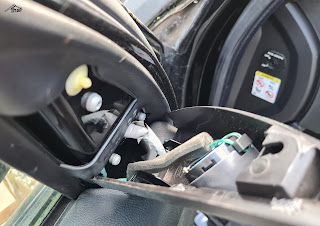
As I was only doing the mirror, there was no need to disconnect the wires to remove the door panel. I could get to the door mirror connector and screws, easily with the panel just pulled away.


Swap with the new assembly.


Clip in the new motor and secure with the one central screw.


Attach the wire to the heated mirror and push on.


Lastly, after having checked it works, I clipped on the new plastic cover.


Put it all back together and checked it all still worked.

== 


Tuesday, 22 February 2022

Cap and bung for bike brake hoses

Whenever I take off hydraulic hoses from bike brakes, I need to find a way to temporarily seal the ends. Partly to stop the fluid dripping everywhere and partly to keep the dirt out.


On some new brakes, like Shimano, they come with some push in bungs and a rubber cover. 

As shipped by Shimano

I have a couple of those in my spares box or in use.


I have designed and 3D printed a cover and screw in bung that fits 5mm hose and the thread (8mm diameter 0.75mm pitch) of the fitting on Shimano bike brakes.


One end screws in to the brake lever or calliper and the other end has a hole that fits over the hose. 


Download:

Bike brake hose bungs STL and STEP (Zip)

==


Sunday, 20 February 2022

Wheel carrier modification

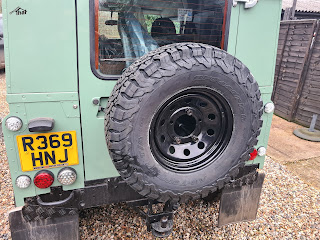
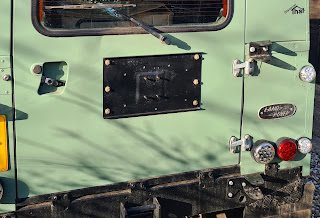
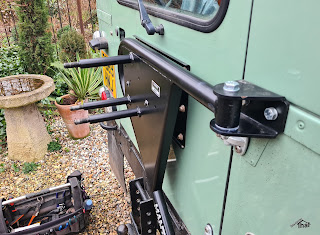
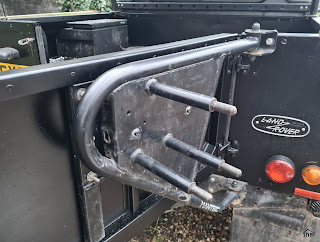
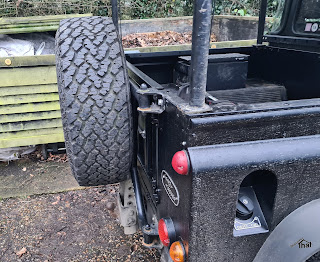
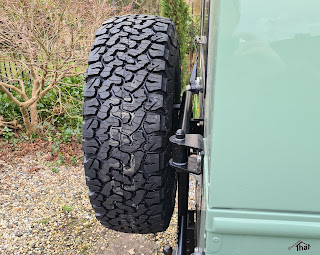
I've had a Mantec swing away wheel carrier, fitted to a Land Rover Defender, for several years. A similar design is now sold by Britpart. The Mantec wheel carrier has worked well. It's a nice robust structure and opens with the door.


To allow it to swing with the rear tail door, the original design uses a large plastic plunger. This works well to allow the wheel carrier to move with the door but has the disadvantage that unless it is exactly aligned, the carrier will lift the door off its hinges. This happened to ours when it was moved to another Land Rover.


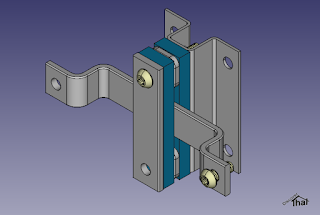
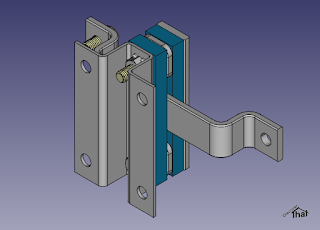
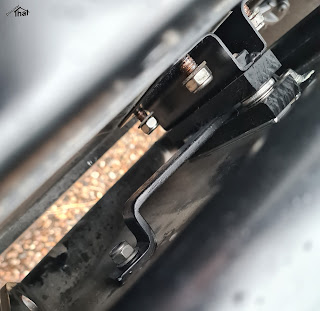
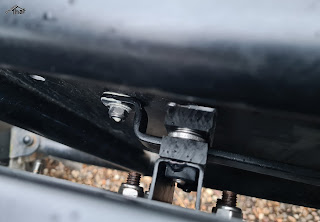
That got me thinking and I came up with a design that slides in both directions, so the door position is not influenced by the carrier at all.


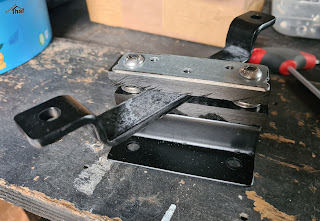
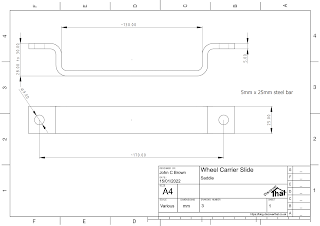
A friend made up a couple of jigs from my designs and pressed the more difficult parts in his workshop. 


I put them together in my shed. I cut the two plastic sliders from some 10mm thick nylon like material I had bought many years ago for another project.


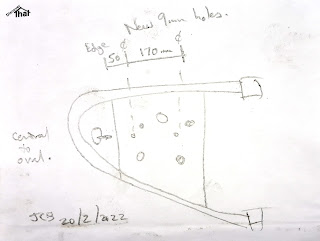
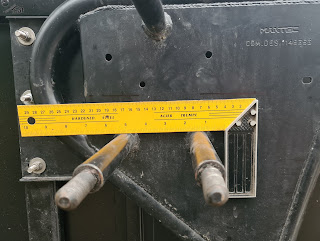
The carrier needs two 9mm holes drilled. These need to be along the same centre line that the original plunger fitted. This is easy to find by looking at the oval hole in the end plate, where the plunger used to bolt through.


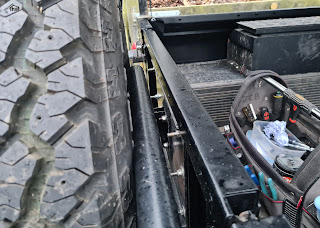
There is little room between the door and the carrier. 


It took a little experimenting to work out the easiest way to get the nuts on in that confined space. For me, the best method was to loosely attach the larger strap to the carrier first and then put the nuts on the door side.


I've fitted it to two cars and, so far, it's worked very well.


The carrier does not need any alignment when fitting so everything can be bolted up tight, as you go.


==

(C) Copyright 2022, John C Brown.

Please ask permission before using this design.

==


Monday, 24 January 2022

Open Source and Budget Software

Updated: May 2025

I often see posts, on various forums, about what free software to use. Many commercial products offer a free version for home use or a limited feature version. One way or another, I usually end up moving away from those restricted versions.

The only perpetually zero cost software, tends to be Open Source. Although there are many open source applications that show up when searching, lots of those do not get the commitment to be of any use. However, just a few become fully functional products that often rival their commercial counterparts. On the flip side, sometimes there are no reliable Open Source solutions available.

The following is a list of the software that I have found are sufficiently developed to be usable products, at least for my home use and a few comments on alternatives:

Photo Editing = GIMP (GNU Image Manipulation Program) but I'm using Krita and Paint.net

This is the niche that Photoshop fills in the commercial world. GIMP is a very capable photo editor and has a massive community of support and development. It has a lot of filters supplied with it and a lot of available add-ins. Feature and reliability wise its a great tool but its disadvantage is that it takes ages to open, in my opinion.
Because I usually only do basic tasks to images but I do them often, I prefer a programme that loads faster.

Paint.net is a good photo editor for day to day use. I prefer the simplicity and speed of Paint.net. It's getting a bit tired but for all basic tasks it's a quick and easy tool. The thing I don't like is finding the legitimate download, past the vast number of adverts, on the web site. 

Krita is still new to me, in May 2025, but so far, the features I've needed to use have been easy to find. Some of the options for the features are a little hidden but it just takes a moment to understand the interface. It has lots of brushes and a good selection of filters. It takes a long time to open the first time it runs but after that the start-up time is acceptable. It even worked with the pressure sensitive pen that came with my laptop.

Vector Graphics = Inkscape

This is the category that Adobe Illustrator fills. Inkscape is usable and has most, if not all, of the essential features. I would not claim it is a match for, or even close to, Illustrator but for free, Inkscape does an acceptable job and is still being developed. Inkscape is one of the few tools to save SVG format files.
I have not found an alternative, Open Source, vector graphics editor. To mention an alternative, which I have not used it myself, I hear that Affinity is a budget friendly and good tool. It's been recommended to me for a number of uses. Designer is their vector graphics editing tool, but there are other applications in their suite, such as a desktop publishing tool.

2D CAD = QCAD Community Edition and  LibraCAD

I have more experience with QCAD than LibreCAD. Both have a very similar appearance because LibreCAD is a fork of QCAD. These are both applications that an architect would use for plans and an engineer would use to produce drawings to have parts manufactured. They are in the same line as the industry standard AutoCAD.
I used QCAD extensively, from November 2022 to about December 2024, to produce building plans. The QCAD Professional version is paid for, although very low cost. It add lots of nice to have, but not essential, features. I was going to try to stick to the Community Edition but I wanted the layouts and viewport features, so I paid for the Professional version. For a short time I used just the completely free QCAD Community Edition, it worked very well and had all the important features of LibreCAD 2.1.3.

I tried LibreCAD 2.1.3, but it crashed frequently, so I abandoned that. A newer version of LibreCAD  2.2.0rc4 was unsigned code, so a security risk that I did not have time to attempt to mitigate.

3D CAD = FreeCAD

This is a solid body, parametric editing solution. There are many commercial products in this area, such as Fusion 360 and Solidworks.
I like FreeCAD. It has a few limitations in the way the user interface works and the occasional bug but I have been able to easily produce any model I have needed for 3D printing. Version 1.0 in 2025 has made it an even more usable tool.

I came across an alternative solid body modelling app. BRL-CAD. I have not tried it out yet. It looks like it is focused on modelling and rendering scenes. As compared to FreeCAD, which is aimed more towards engineering and CAM.

3D Mesh Modelling and animation = Blender

The investment in Blender has been so intensive and it's been around such a long time, that it now rivals the commercial products. It competes with Maya and 3DS Max and other industry standard products.
If you want to create models for computer games or for use in an animated movie, Blender is the product. Blender can also be used to make the movie, and often is!
Like most mesh modelling products, it can be difficult to learn. All the recent releases I have tried have been stable. I've been using Blender for many years, on and off, and as of April 2025, I'm regularly using version 4.4.

Maps = QGIS

This may be a niche area of interest but QGIS has everything needed to produce very nice custom maps. It can import the standard mapping data, such as ESRI® shapefiles, which are available to purchase, or often to download for free. It took me a little while to understand the mapping terminology, but the application is fully featured.
I have no idea what a commercial alternative would be.

Office Suite = LibreOffice

This is the category dominated by Microsoft Office. It includes; word processor, spreadsheet, drawing and presentation packages. There are a number of free alternatives, such as Apache OpenOffice. Apparently LibreOffice has more features and more recent development and has better file compatibility. I have Microsoft Office 365, so I only tend to install and use alternatives on friends computers, so my experience is limited.

Video Player = VLC

This is my go to video player when the codec used for a video file is not one of those shipped with Windows. Install and play. Job done.


Conclusion

That's my list for now, I'll continue to come back and update this as I find and use more of these types of applications.


==

Updates

This page is updated, as I gain more experience with applications. The comments and versions may not relate to the date of the original publication.

==